📍 16 East 40th St, Midtown Manhattan
get@callifi.com
Installation, repair and upgrades — new IP paging, or connecting the speakers and amplifier you already own to a modern phone system. Zones, scheduled bells, and emergency announcements. Same-day on-site service across the five boroughs and the tri-state area.
Quick answer: An overhead paging system broadcasts announcements through ceiling or horn speakers so people away from a desk can hear them. Modern systems come in two forms: IP paging, where network-powered speakers connect directly to your phone system, and adapter-based paging, where a small device bridges your existing analog speakers, amplifier and wiring to a new phone system. In most NYC buildings the existing speakers and wiring are perfectly good — an adapter costs a fraction of replacing them, and the paging works the same day.
The single most common thing we hear: "We're changing phone systems and we were told the paging has to go too." Usually untrue. Overhead paging is speakers, an amplifier and wiring — none of which cares what phone system is on the other end. What changes is how the phone system talks to the amplifier, and that's a small adapter, not a demolition project.
We've kept paging systems running in NYC buildings through three generations of phone system. If your speakers work and the wiring is intact, the sensible move is almost always to bridge what you have and spend the money on the parts that are genuinely worn out.
A paging adapter connects your existing analog paging equipment to a modern phone system. Somebody dials the paging extension, their voice comes out of the same ceiling speakers as always.
Network-powered speakers that connect over your existing data cabling — no separate amplifier or dedicated speaker wiring. Ideal for new fit-outs and for extending paging into areas that never had it.
When you're adding paging rather than bridging an existing system, network-powered speakers are the cleaner build — they run over the data cabling you already have, with no separate amplifier or speaker wire.
Every GSC speaker registers to your phone system as a SIP endpoint and supports both SIP paging and multicast paging, with call-waiting priority override so an emergency page cuts through a routine one. They run on PoE, so a single network cable carries power and audio. We supply, install and configure the full range across NYC and the tri-state area.
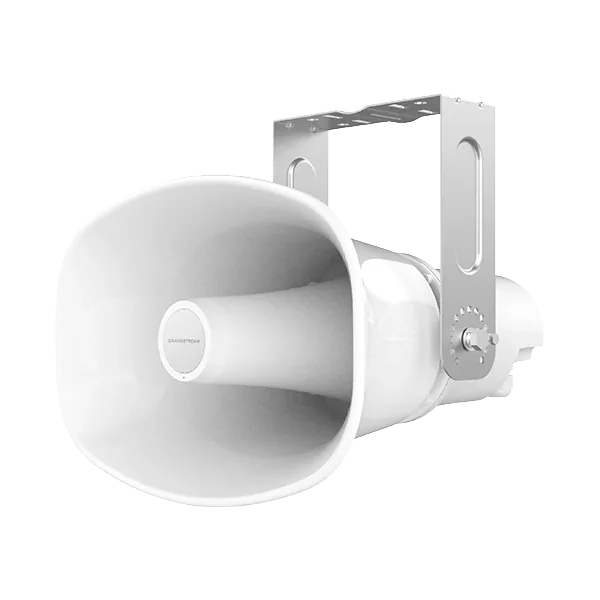
50W horn speaker · Up to 126 dBA · 3 mics with AI noise reduction · IP66 rated with stainless steel bracket · PoE++ in, PoE+ out. Loading docks, yards, parking areas and factory floors.
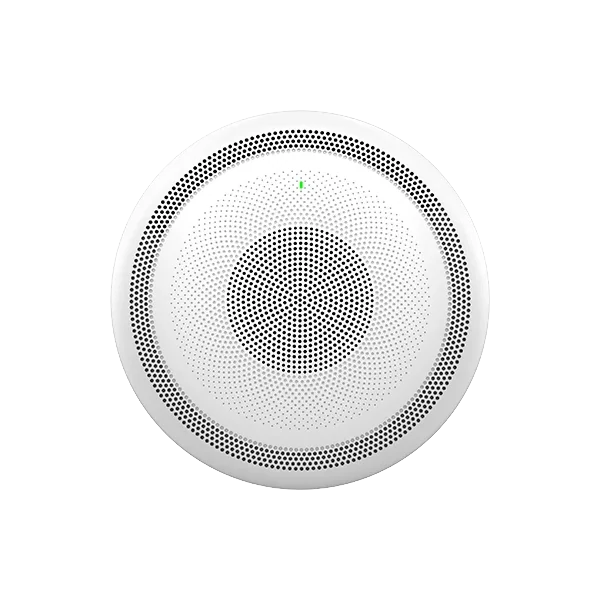
Full-duplex speakerphone · 3 directional mics with beamforming plus omnidirectional aux mic · Wi-Fi and Bluetooth · 2-pin input for a call button. Two-way paging where people need to answer back.
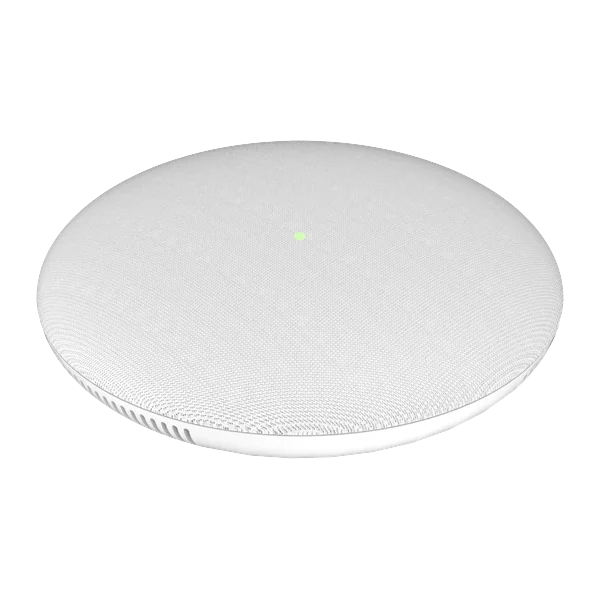
Full-duplex speakerphone · 3 directional mics with beamforming · Wi-Fi and Bluetooth · Call-button input. The talk-back speaker for offices and corridors.
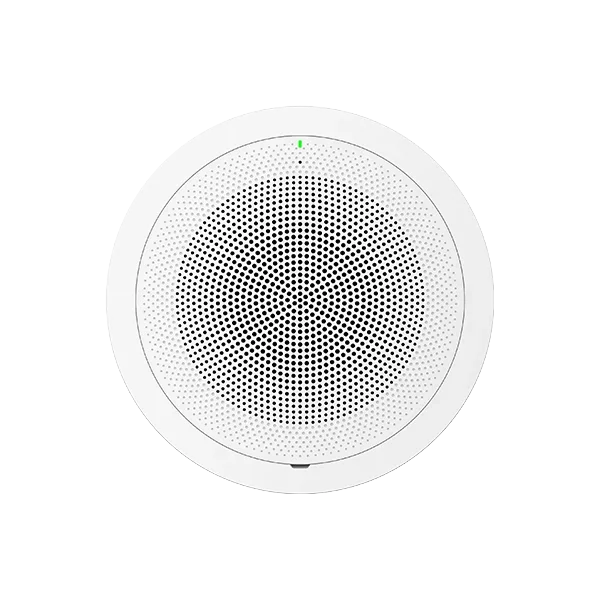
30W speaker with HD acoustic chamber · SIP and multicast paging · Line-out and alarm-in ports · PoE++. Our standard indoor paging speaker for offices, classrooms and corridors.

Speaker with HD acoustic chamber · SIP and multicast paging · Wi-Fi and Bluetooth · PoE. Announcement-only speaker for areas that don't need talk-back.
Specifications as published by Grandstream; we confirm current availability before quoting. The earlier GSC3506 remains available for matching existing deployments.
Door intercoms too. The same GSC family includes the GSC3560 and GSC3565 door intercoms — IP66 and IK10 rated, with door release by app, SIP call or HTTP API, and QR code entry on the GSC3565. Useful alongside paging in buildings and property management.
Paging stops being useful the moment every announcement goes everywhere. Zones are what make people keep listening.
Most buildings want announcements to reach some areas and not others — warehouse separate from the sales floor, second floor separate from third, classrooms separate from the gym. Zones are created by adding adapters or grouping IP speakers, and staff page a zone by dialing its extension. A well-zoned system also solves the biggest complaint about paging: people tuning it out because most pages aren't for them.
Schools, manufacturers and any operation running shifts can schedule tones, bells and recorded announcements on a calendar, synchronized over the network so every zone fires together. For a school, this usually replaces a separate legacy bell system entirely — one less aging box on the wall with nobody left who knows how to program it.
The same infrastructure broadcasts emergency tones and pre-recorded announcements — lockdown, evacuation, shelter in place — to every zone at once, triggered from a phone or a wall button. Recorded announcements are clearer than a stressed human voice and can repeat until the event is cancelled. If your building has specific alerting requirements, tell us and we'll design to them and coordinate with your existing life-safety vendors.
A note on scope: voice paging and emergency notification are useful, but they are not a substitute for a code-required fire alarm system. Where the two need to coexist we work alongside your fire alarm contractor rather than around them.
Whatever you're running, there's a supported way to page from it.
| Your phone system | How paging connects | Notes |
|---|---|---|
| Callifi hosted VoIP | Paging adapter or IP speakers registered to your system | Configured with your extensions and zones before we arrive |
| Microsoft Teams | Paging adapter via the Microsoft Teams SIP Gateway | SIP Gateway must be enabled and licensed in your tenant — we handle it. See Teams phones & paging |
| Another hosted VoIP provider | SIP paging adapter or IP speakers | Standards-based; works with most platforms |
| On-premises PBX (Avaya, NEC, Panasonic…) | Existing paging port, or an adapter if you're migrating | We service these systems too — see phone system repair |
| Analog lines only | Existing amplifier, or an adapter as part of a VoIP migration | Good moment to plan the move — see the analog lines hiding in your office |
If your paging has been dead or unreliable for months, it's almost certainly one of these — and almost never a reason to replace the whole system.
Same-day on-site service. We diagnose paging faults across all five boroughs, Westchester, Long Island, Northern New Jersey, Connecticut and the Hudson Valley — and tell you honestly whether it's a repair or a replacement. Book a technician.
Classroom and corridor paging, scheduled bells, and all-call emergency announcements — often replacing an aging standalone bell system. See VoIP for schools.
Horn speakers that cut through machinery, zoned by dock, floor and yard, so a page reaches the right crew without stopping everyone.
Discreet zoned paging for staff areas and overhead announcements that don't broadcast patient information. See VoIP for medical offices.
Shift bells, line announcements and emergency alerting across production floors and outdoor areas.
Staff pages that reach the stockroom without booming across the sales floor, plus closing announcements on a schedule.
Lobby, garage and common-area announcements. Often installed alongside elevator phones and door intercoms. See solutions for property managers.
A system that broadcasts voice announcements through ceiling or horn speakers so people away from a desk phone can hear them. It typically consists of speakers, an amplifier, wiring, and a connection to your phone system so staff can page by dialing an extension.
Almost always, yes. Speakers, amplifiers and wiring don't care what phone system is on the other end. A paging adapter bridges your existing equipment to the new system, which costs far less than replacing the speakers and usually takes a single visit.
Yes. A paging adapter connects your existing analog paging system to Teams through the Microsoft Teams SIP Gateway, so someone can page the building from a Teams phone. The SIP Gateway needs to be enabled and licensed in your tenant — we configure it and test it end to end. See Teams phones and paging.
As many as the building needs — zones are created by adding adapters or grouping IP speakers. Common splits are by floor, by department, or office versus warehouse. Zoning matters more than most people expect, because a system where every page goes everywhere is a system people stop listening to.
Yes. Tones, bells and recorded announcements can run on a calendar synchronized over the network, firing across every zone together. Schools and shift-based operations frequently use this to retire a separate legacy bell controller.
Yes — emergency tones and pre-recorded announcements can be sent to all zones at once from a phone or a wall button, and can repeat until cancelled. Note that voice paging complements but does not replace a code-required fire alarm system; where both are involved we work alongside your fire alarm contractor.
It depends almost entirely on whether you're bridging existing equipment or installing new. Connecting an existing system to a new phone system is a small adapter plus a visit. A new IP paging installation is priced by speaker count, zones and the type of space. Tell us the building and we'll quote both options where both are viable.
Yes. Dead pages, silent zones, hum and distortion, failed amplifiers and bell schedules that stopped working are routine calls for us, regardless of who installed the system originally.
Tell us the building, what paging you have now, and what phone system it needs to work with. We'll tell you honestly whether to bridge it or replace it.
Get a Paging QuoteOr call (212) 423-1234 — we respond within 1 business hour
