📍 16 East 40th St, Midtown Manhattan
get@callifi.com
Desk phones and conference phones that sign in to Microsoft Teams and work like Teams — plus adapters that connect the overhead paging system you already own to your Teams phones. Supplied, installed and supported by Callifi across the five boroughs and the tri-state area.
Quick answer: A Teams-certified desk phone runs Teams natively — your users sign in with their Microsoft 365 account and get the Teams calling experience on the handset, not a workaround. The current mainstream desk line is Yealink's MP E2 series (MP52/MP54/MP56/MP58-WH E2, on Android 13); for meeting rooms the Yealink CP965 Teams Edition and the Poly Trio C60 are the two we install most. Poly CCX and AudioCodes are the other certified desk families. Separately, a Teams paging adapter (Algo 8301 or 8305) bridges your existing analog overhead paging to Teams, so you can page the whole building from a Teams phone without replacing speakers, amplifiers or wiring.
Any decent IP phone can carry a call. A Teams-certified phone does something different: it runs Microsoft Teams on the device itself. Users sign in with their Microsoft 365 credentials, see their real Teams directory and presence on the screen, join meetings from the handset, and get voicemail and call history that match what's on their desktop. Microsoft tests and certifies these devices, and they receive firmware updates that track Teams itself.
The alternative — a generic SIP phone bolted onto Teams — gives you dial tone and not much else. If your company has committed to Teams as its phone system, certified hardware is what makes the desk phone feel like part of it rather than a leftover.
Don't have Teams calling yet? Phones are the last step, not the first. Callifi delivers Microsoft Teams Phone calling through Operator Connect — numbers, porting, queues and auto attendants. Start at Microsoft Teams Phone.
Yealink was first to market with Teams-certified desk phones, and the MP E2 generation runs Android 13 for faster response and a longer supported life. Four models cover everything from a shared common-area phone to an executive desk.
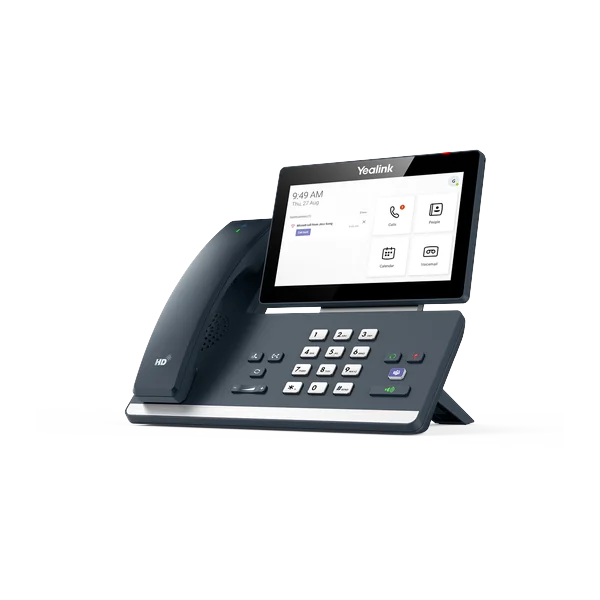
7" 1024×600 touchscreen · Android 13 · Expandable with up to three EXP50 modules (20 keys each). Reception, executive desks, anyone watching many lines.
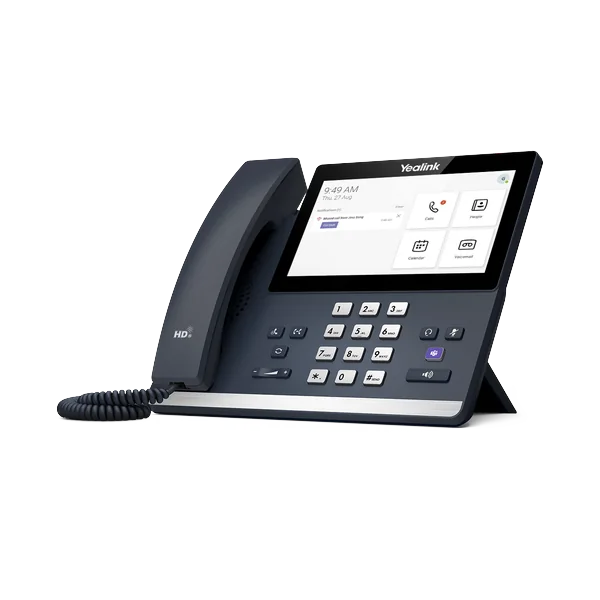
7" touchscreen · Android 13 · Built-in Bluetooth and Wi-Fi. Managers and private offices that want a large screen without expansion modules.
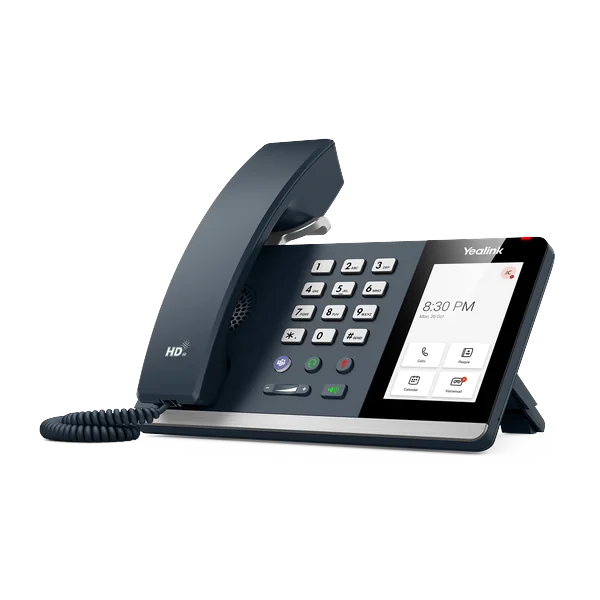
4" 800×480 touchscreen · Android 13 · Magnetic handset · Hybrid mode — runs as a Teams device or a SIP endpoint. General staff and front desks.
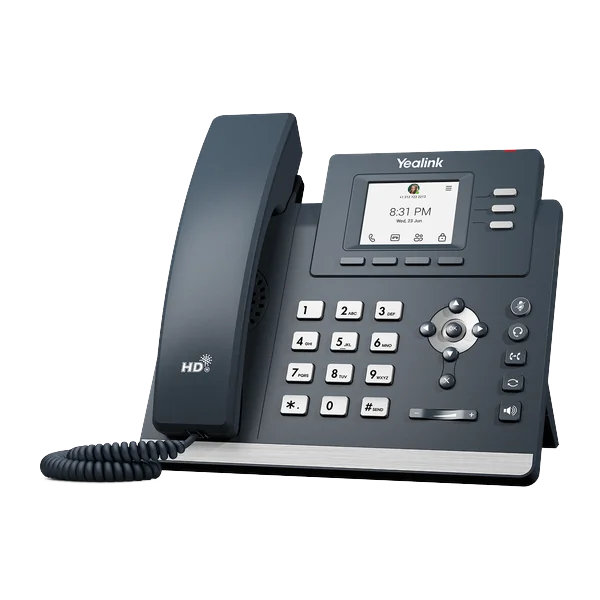
Compact color display · Android 13 · HD audio · Entry-level Teams sign-in. Common areas, break rooms and shared desks.
The MP54 can operate as a Teams device or as a standard SIP endpoint. That matters if you're mid-migration, running Teams for some staff and hosted VoIP for others, or simply want hardware that won't be stranded if your platform changes in three years. It's the safest single purchase for a business that isn't fully committed yet.
Same idea as the desk phones — the Teams experience on the device itself, not a speakerphone bolted onto a meeting.
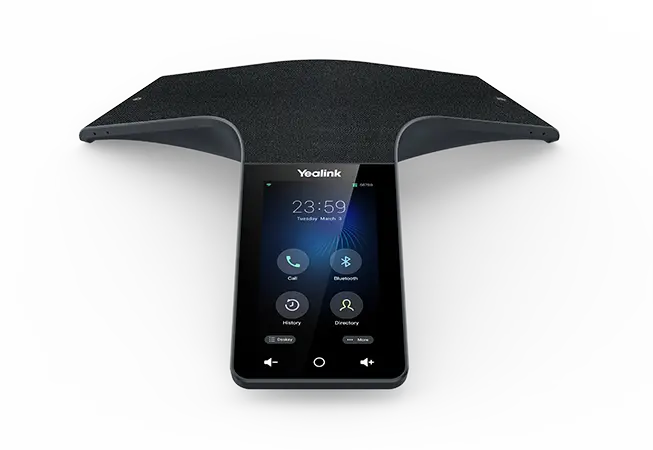
5" touchscreen · Android 11 · 13-microphone array · 360° pickup to 20 feet · Up to 10-way calling. Tap-to-join from your Outlook calendar.
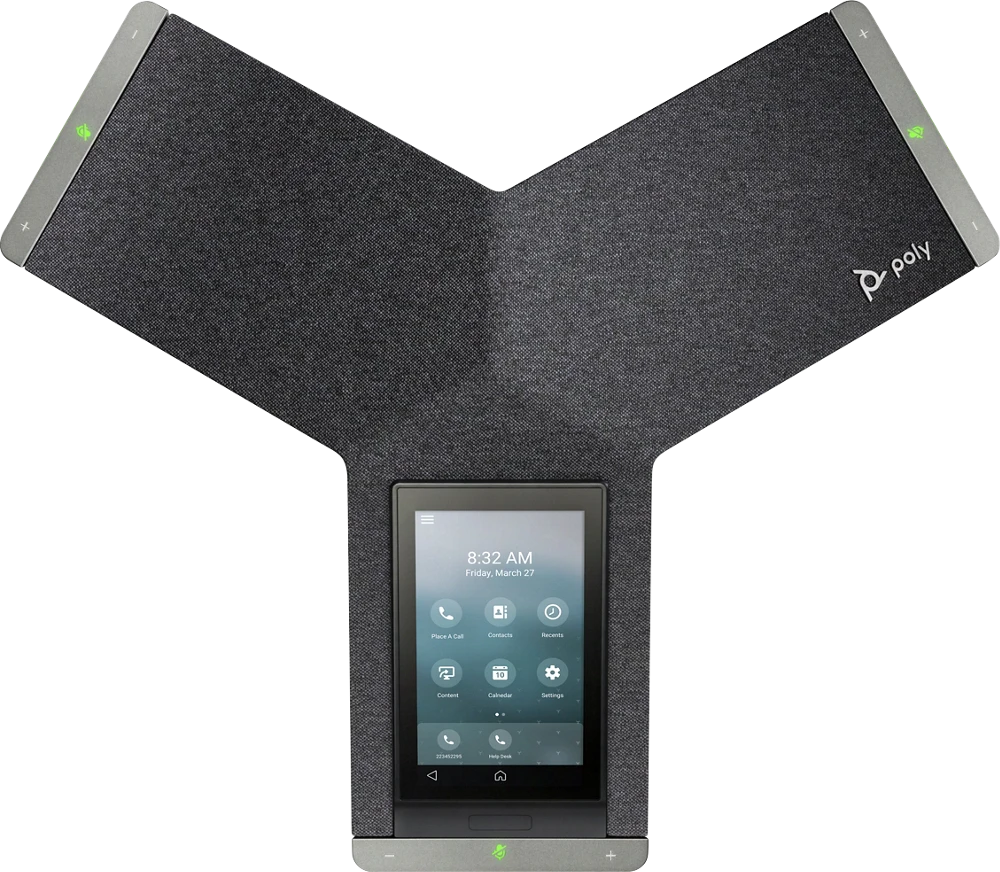
3-mic 360° pickup · PoE/PoE+ · Wi-Fi and Bluetooth · Proximity wake · Managed from Teams Admin Center. Poly's current Trio flagship, in a Teams-certified SKU.
The flagship Teams conference phone, and the one we install most. Outlook calendar sync means tap-to-join instead of typing meeting IDs, and it's managed from the Teams Admin Center alongside your desk phones.
The current Trio flagship, and the Poly alternative to the CP965. Ships in a Teams-certified SKU as well as a standard SIP version, so the same hardware works whether you land on Teams or stay on hosted VoIP. It also doubles as a controller for a Poly video system, which matters if the room later grows into one.
If the room needs a camera and display as well as audio, that's Teams Rooms territory — Yealink MeetingBar and MVC series, or Poly Studio. We spec these to the room rather than from a catalogue.
Not on Teams? We supply conference phones for every platform — see conference room phones for the full range including Yealink, Konftel and Cisco.
You already have overhead speakers, an amplifier, and wiring through the ceiling. None of it needs to be ripped out to work with Teams.
A Teams paging adapter sits between your Teams system and the analog paging equipment you already own. Someone picks up a Teams phone, dials the paging extension, and their voice comes out of the ceiling speakers — same as it always did, except the phone system behind it is now Microsoft Teams. No new speakers. No new amplifier. No new wiring.
The common choice. A PoE device that provides a dry page output into your traditional amplifier, bridging IP voice to legacy overhead paging. Certified for native compatibility with Microsoft Teams via the Microsoft Teams SIP Gateway.
PoE adapter with three connection points — a telephone port that emulates an analog telephone, an 8 Ω output for self-amplified speakers, and a line output. Useful when your paging setup doesn't match a textbook diagram.
Most buildings want more than one paging area — warehouse separate from office, floor two separate from floor three. Additional adapters create additional zones, and a Teams environment can accommodate up to 50 of them, so a growing building isn't boxed in. Schools and facilities that run scheduled bells or recorded announcements can drive those from the adapter's scheduler rather than a separate bell system, and emergency alert tones can be multicast across every zone at once.
Worth telling your IT team: these adapters connect through the Microsoft Teams SIP Gateway, which needs to be enabled in your tenant and licensed appropriately. It's a supported Microsoft path, but it isn't the same list as certified desk phones — we handle the configuration and confirm it end to end before we leave.
Anyone can ship you a box. The reason NYC businesses call us is everything around it.
Already running Teams Phone? Pair your devices with the Customer Experience Oracle for the call queue and agent analytics Teams doesn't give you, and CalliText for Teams to text customers from inside Teams.
A desk phone that runs Microsoft Teams natively on the device. Users sign in with their Microsoft 365 account and get the Teams interface, directory, presence, meetings and call history on the handset. Microsoft tests and certifies these devices, and they receive firmware updates aligned with Teams.
In many cases yes, through the Microsoft Teams SIP Gateway, which lets compatible SIP devices register to Teams. You get calling, but not the native Teams experience — no Teams directory browsing or meeting join from the handset. It's a sensible way to extend the life of existing hardware; it's not equivalent to a certified phone.
Yes. A paging adapter such as the Algo 8301 or 8305 bridges your existing analog paging system — speakers, amplifier and wiring included — to Teams. Someone dials the paging extension from a Teams phone and their voice plays through the speakers you already own. Nothing needs replacing.
Additional adapters create additional zones — warehouse, office, by floor, or however your building is divided. A Teams environment can accommodate up to 50 zones, so there's room to expand as the building or the business grows.
Yes. The Algo 8301 includes a scheduler that plays tones, bells and recorded announcements on a set calendar, synchronised over NTP. Schools and facilities frequently use this to replace a separate bell system, and the same mechanism can multicast emergency alert tones across every zone at once.
Yes. Teams-certified phones and SIP Gateway devices both require appropriate Microsoft licensing, and calling to outside numbers requires a PSTN connection — Callifi provides that through Operator Connect. We confirm licensing before quoting hardware so nothing arrives that can't be used.
Yes. The Yealink CP965 Teams Edition is our standard Teams conference phone for medium and large rooms — native Teams interface, tap-to-join from your Outlook calendar, 360° pickup to 20 feet, and management from the Teams Admin Center alongside your desk phones. If you prefer Poly, the Trio C60 is the equivalent pick and comes in a Teams-certified SKU. For rooms that also need video, we install Microsoft Teams Rooms systems. See conference room phones for our full range across all platforms.
Yes. For businesses on Callifi hosted VoIP rather than Teams, the current-generation Yealink T7 series is our standard line, and we stock conference phones and headsets for both platforms.
We install. Devices arrive pre-provisioned, we place and label them on-site, wire the paging adapter into your existing amplifier, test every zone, and train your staff. On-site service covers all five boroughs, Westchester, Long Island, Northern New Jersey, Connecticut and the Hudson Valley.
Tell us how many desks, whether you have overhead paging, and what your building looks like. We'll spec it, price it, and install it.
Request a QuoteOr call (212) 423-1234 — we respond within 1 business hour
